Once your website is secured here are some steps to take with Google to update your site:
1.Webmaster Tools
- Go to https://www.google.com/webmasters/tools/
- Add a "new property" and use the https://www.YourDomain.com version of your webite to create a new property. (and make sure you are verified with Google)
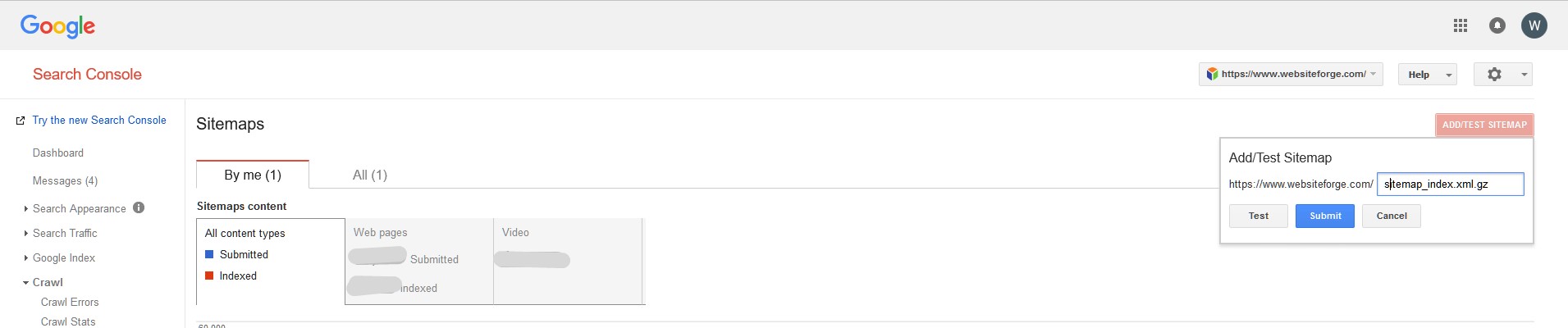
- Add Sitemap for the new property
2. Google Analytics
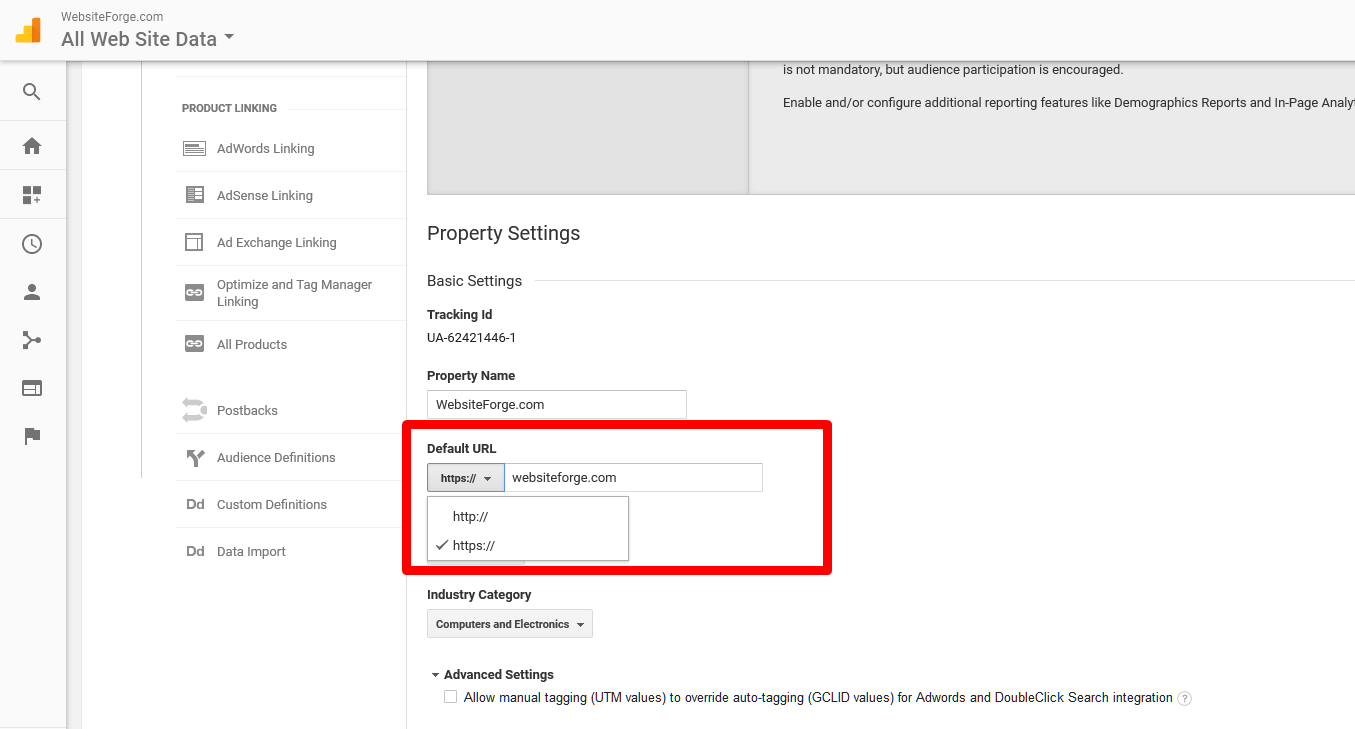
- Go to https://www.google.com/webmasters/tools/ login and go to "property settings" and make sure you are using the HTTPS version there as well.(the below screenshot is located under "Admin", and "Property settings". in your Google analytics account)
You can also add your site and update the sitemap on Bing as well.
Didn't secure your site yet? You should...
Click here to learn more

%201.png)
 Send to Kindle
 231-266-0606
%201%20copy%201.png)


